Apple just dropped iOS 26 Beta 5 for developers, and it’s bringing some slick updates to the table! This beta, build 23A5308g, continues to refine the Liquid Glass design and adds practical tweaks for a smoother iPhone experience. Here’s what’s new based on the latest buzz:
Camera App Gets a Throwback Option
Say hello to the “Classic Mode” toggle in the Camera app! If the new loupe-style mode switching felt clunky, you can now revert to the classic swipe direction from iOS 18 for a more familiar feel. Perfect for those who love the old-school vibe.
Mail App Made Simpler
Selecting multiple emails just got easier! The Select button is now front and center in the Mail app, no more digging through the “…” menu. Small change, big win for productivity.
Visual Flair with Liquid Glass
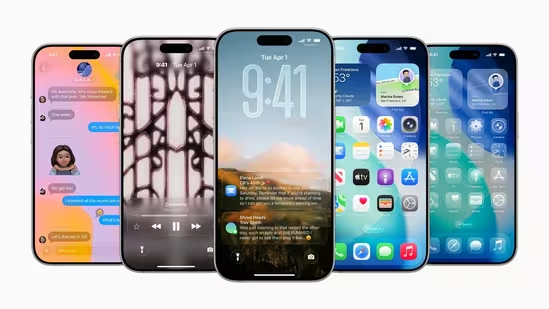
The Liquid Glass aesthetic is sticking around, with no major changes but some nice touches. The AirDrop icon in the share sheet now sports a glassy look, and the Fitness+ icon in the Fitness app got a refresh. When editing your Home Screen, those little “–” buttons on apps are now translucent, blending seamlessly with the theme.
Bouncy Animations Everywhere
Apple’s adding some fun to the UI! Enter your passcode, and the digits now bounce into place on the Lock Screen. Lock your iPhone while music’s playing, and you’ll see a new visual effect. Swiping through Control Center pages also feels snappier with a smooth, elastic animation.
Smarter System Features
- Wi-Fi Transparency: Long-press the Wi-Fi tile in Control Center to see if your network is public or secure (complete with a lock icon for password-protected connections). No more guessing in coffee shops!
- Battery Smarts: Adaptive Power Mode (on iPhone 15 Pro and newer) now notifies you when it’s tweaking performance to save battery, like dimming the screen slightly.
- Predictive Siri: Traveling soon? Siri’s got new predictive suggestions for international trips.
Splash Screens Galore
First-time launches of apps like Apple Music, Journal, and Notes now feature new splash screens highlighting iOS 26’s upgrades. It’s a nice way to showcase what’s fresh.
A Word of Caution
Some users on X reported minor bugs, like flickering screens or lag on the Home Screen, so proceed with caution if you’re not a fan of beta quirks. As always, this is a developer beta—public beta 2 should follow soon with these changes.
What’s Next?
With the stable iOS 26 release expected in September 2025 alongside the iPhone 17 lineup, Beta 5 is polishing things up for the big debut. No major feature drops here, just Apple fine-tuning the experience.
Have you tried iOS 26 Beta 5 yet? What’s your favorite change? Share below! #iOS26 #Apple #TechNews
Sources: MacRumors, 9to5Mac, AppleInsider, X posts